Juicebox Vs Tesla Charger Vs Charge Point: Ultimate EV Charging Showdown 2026

Choosing the right charger for your electric vehicle can feel overwhelming. You want something reliable, fast, and easy to use.
But with options like Juicebox, Tesla Charger, and ChargePoint, how do you know which one fits your needs best? This guide breaks down the key differences, so you can make a smart choice without the guesswork. Keep reading to find out which charger will power your drive with the most convenience and efficiency.
Juicebox Features
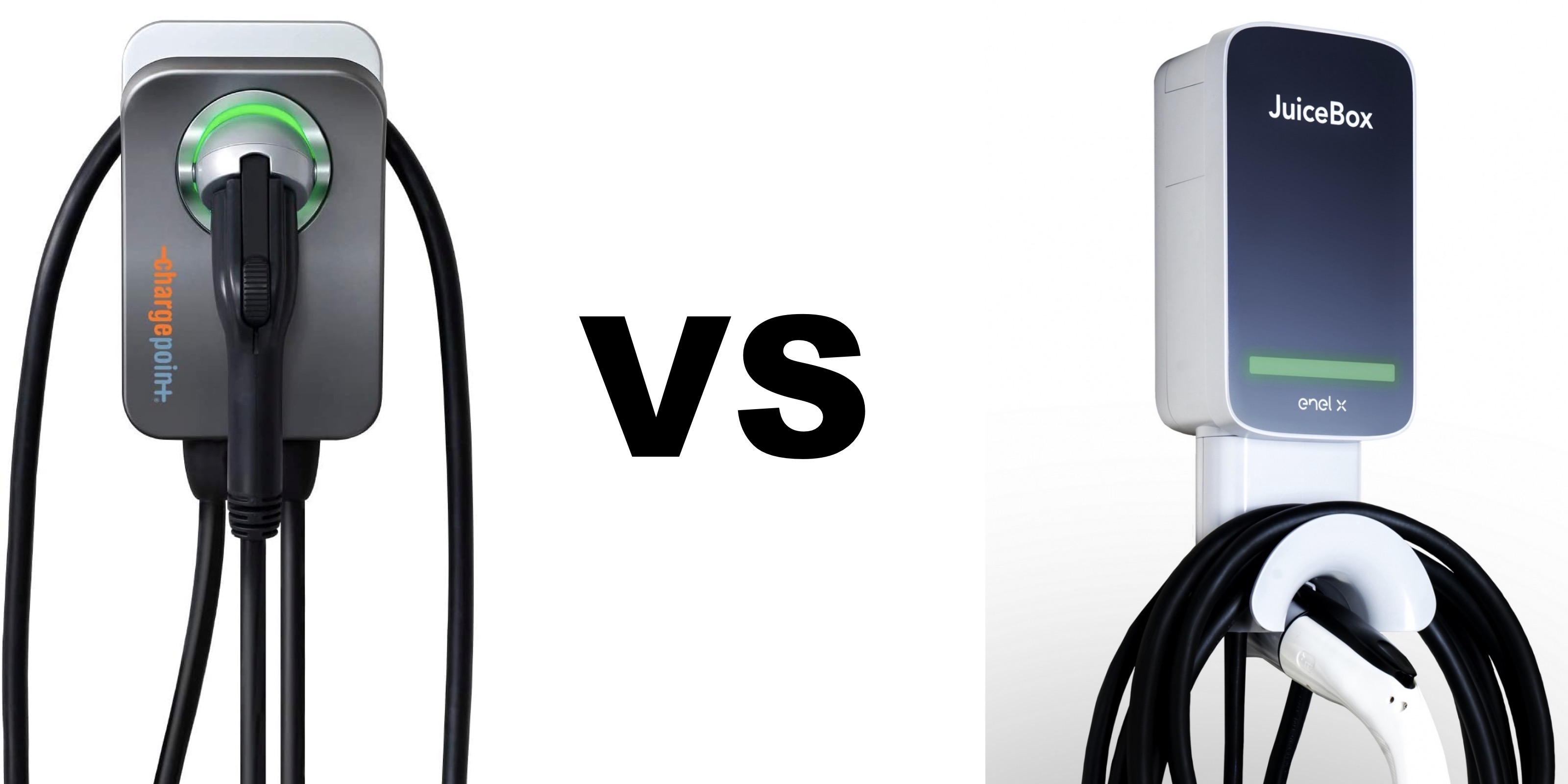
The competition among Juicebox, Tesla Charger, and Charge Point is strong in the world of electric vehicle chargers. Each brand offers unique features and benefits. This section focuses on Juicebox features to help you understand its advantages. The Juicebox EV charger stands out with its smart technology, design, and user-friendly installation. It is a popular choice for many who want reliable and efficient home EV chargers. The following parts explain the key aspects of the Juicebox EV charger compared to other Level 2 charger comparison models.
Design And Build
The Juicebox EV charger boasts a compact and sturdy design. It fits well in different home and garage settings, making it a favorite among users.
- Durable materials: The charger uses weatherproof and impact-resistant casing.
- Compact size: Easy to install on walls without taking much space.
- Modern look: Sleek and simple design that suits most home decors.
- Cable management: Built-in hooks keep charging cables tidy and safe.
Here is a quick comparison of Juicebox design features with Tesla Wall Connector and Chargepoint Network:
| Feature | Juicebox | Tesla Wall Connector | Chargepoint Network |
|---|---|---|---|
| Weatherproof | Yes | Yes | Yes |
| Size | Compact | Medium | Varies |
| Cable Management | Integrated hook | No | Some models |
Charging Speed
Charging speed is a critical factor in EV charging stations. Juicebox offers fast charging performance suitable for most electric vehicles.
The Juicebox Level 2 charger supports up to 40 amps, which provides about 9.6 kW of power. This allows charging to be:
- Faster than standard Level 1 chargers.
- Capable of fully charging many EVs overnight.
- Compatible with most EV models.
Compared to the Tesla Wall Connector, which delivers up to 48 amps, Juicebox is slightly slower but still very efficient for daily use. Chargepoint Network offers various models with different speeds, but Juicebox balances speed and cost well.
Key charging speed details:
- Juicebox: Up to 40 amps, 9.6 kW
- Tesla Wall Connector: Up to 48 amps, 11.5 kW
- Chargepoint: Varies from 16 to 50 amps
Smart Connectivity
Juicebox leads in smart EV chargers with advanced connectivity options. It connects easily to Wi-Fi, allowing users to control and monitor charging remotely.
Features include:
- Real-time charging status via mobile app.
- Scheduling charges to save on electricity costs.
- Energy usage reports to track consumption.
- Voice control through smart home devices.
This connectivity is part of what sets Juicebox apart from many other electric vehicle chargers. Tesla Wall Connector offers smart features but mostly within Tesla’s ecosystem. Chargepoint Network provides extensive app support but at a higher price point.
The Juicebox app supports:
{ "connectivity": "Wi-Fi", "features": [ "remote monitoring", "charging schedule", "energy reports", "voice control" ] } Installation Requirements
Installing the Juicebox EV charger is straightforward. It suits a wide range of homes and electrical setups, which makes it accessible for many users.
Important installation points:
- Requires a 240-volt outlet or hardwired connection.
- Compatible with most circuit breakers from 30 to 50 amps.
- Can be installed indoors or outdoors due to its weatherproof design.
- Installation by a certified electrician is recommended for safety.
Compared to Tesla Wall Connector, Juicebox offers more flexibility in installation locations and electrical compatibility. Chargepoint Network chargers may require more complex wiring depending on the model.
The charging station installation process for Juicebox usually takes 2 to 4 hours. This timeframe includes electrical setup and mounting. Clear user manuals and customer support also assist during installation.
Credit: electrek.co
Tesla Charger Features
The market for Electric Vehicle Charging Stations offers many options, with Juicebox, Tesla Charger, and ChargePoint leading the way. Each has unique features, but the Tesla Charger Features stand out for Tesla owners. Tesla Chargers provide tailored Residential EV Charging Solutions that integrate perfectly with Tesla vehicles. Understanding these features helps users choose the best charger for their needs. Below is a detailed look at Tesla Charger capabilities, focusing on EV Charger Compatibility, Charging Speed Comparison, user experience, and installation.
Compatibility With Tesla Vehicles
The Tesla Charger is designed primarily for Tesla cars, ensuring seamless integration and optimal performance. Tesla’s proprietary connector fits all Tesla models without adapters, simplifying Tesla Home Charging. Compatibility is one of the strongest points of the Tesla Charger among Smart EV Chargers.
- Tesla Models Supported: Model S, Model 3, Model X, Model Y
- No Adapter Needed: Direct plug-and-play connection
- Non-Tesla Vehicles: Requires an adapter or is not compatible with some models
The table below compares compatibility between Tesla Charger and other popular chargers:
| Charger | Tesla Model Support | Non-Tesla Vehicle Support | Adapter Needed |
|---|---|---|---|
| Tesla Charger | All Tesla Models | Limited | Yes, for non-Tesla |
| Juicebox | Limited | Wide | No |
| ChargePoint | Limited | Wide | No |
Choosing Tesla Charger ensures the best EV Charger Compatibility for Tesla owners. It removes hassle and supports Tesla’s charging protocols fully.
Charging Performance
Tesla Chargers deliver strong performance for Home EV Chargers. They use Level 2 Chargers technology, providing faster charging than standard outlets. Tesla’s charging speed suits daily use and longer trips.
Key points about Tesla Charger performance:
- Power Output: Up to 48 amps (11.5 kW), faster than many competitors
- Charging Speed: Adds about 44 miles of range per hour
- Efficiency: Optimized for Tesla battery systems
- Charging Modes: Adjustable current for different home electrical setups
Compared to Juicebox and ChargePoint, Tesla Charger often leads in Charging Speed Comparison for Tesla vehicles:
| Charger | Maximum Current | Approx. Miles Added per Hour |
|---|---|---|
| Tesla Charger | 48 amps | 44 miles |
| Juicebox | 40 amps | 37 miles |
| ChargePoint | 32 amps | 30 miles |
The Tesla Charger’s tailored power output improves charging speed and efficiency. It suits Tesla owners who want reliable and fast home charging.
User Interface
Tesla Charger features a User-Friendly Charging Interface that simplifies control and monitoring. The interface is designed for ease and clarity, helping users manage charging easily.
- Touchscreen Display: Shows real-time charging status and settings
- Mobile App Integration: Control charging remotely via Tesla app
- Notifications: Alerts for charging completion or issues
- Scheduling: Set charging times to optimize electricity rates
The Tesla app connects directly with the charger, providing:
- Energy usage reports
- Remote start and stop
- Firmware updates for charger improvements
This level of control and feedback makes Tesla Charger a smart choice in Smart EV Chargers. It enhances user experience and charging management.
Installation Process
Installing a Tesla Charger is straightforward for most homeowners. The process supports EV Charger Installation with clear steps and professional support options.
Important aspects of installation:
- Electrical Requirements: Requires a 240-volt circuit, usually a 60-amp breaker
- Mounting: Wall-mounted unit with included hardware
- Professional Installation: Recommended for safety and code compliance
- Time Frame: Typically completed within a few hours
Tesla provides detailed guides and certified installers. This service ensures safe setup and proper functioning of the charger.
Comparing installation factors:
| Charger | Electrical Setup | Installation Difficulty | Professional Help Recommended |
|---|---|---|---|
| Tesla Charger | 240V, 60A breaker | Moderate | Yes |
| Juicebox | 240V, 40A breaker | Moderate | Yes |
| ChargePoint | 240V, 32A breaker | Moderate | Yes |
Proper installation ensures the Tesla Charger works efficiently and safely for years. It supports reliable and convenient home charging.
Chargepoint Features
Choosing the right charger for your electric vehicle is key. Juicebox, Tesla Charger, and ChargePoint each offer unique benefits. ChargePoint stands out with its strong features tailored for both public and home use. Understanding ChargePoint features helps in making an informed decision about your EV charger. This section explores ChargePoint’s network coverage, charging options, mobile app integration, and subscription plans.
Network Coverage
ChargePoint has one of the largest public charging networks in the world. Their network covers thousands of locations across many countries. This broad coverage makes it easy for drivers to find a charging station almost anywhere.
- Wide Availability: ChargePoint stations are found in shopping centers, parking lots, workplaces, and highways.
- Compatibility: Supports multiple EV models, unlike Tesla Charger Network, which mainly serves Tesla vehicles.
- Real-time Station Status: The network provides updates on station availability and charging speed.
Below is a quick comparison of network coverage between popular EV charger brands:
| Brand | Network Size | Countries Covered | Public Charging Stations |
|---|---|---|---|
| ChargePoint | 100,000+ | 10+ | Extensive |
| Juicebox | Limited | Primarily USA | Focused on Home EV Chargers |
| Tesla Charger | 30,000+ | 20+ | Exclusive to Tesla |
This coverage ensures reliable access to public charging options for many EV drivers.
Charging Options
ChargePoint offers versatile charging options suitable for various needs. Their smart charging technology supports both residential and commercial use. This flexibility makes it a strong choice for many EV owners.
- Home EV Chargers: ChargePoint Home delivers fast, reliable charging with user-friendly controls.
- Public Charging Stations: Compatible with different EV brands and charging speeds.
- Smart Charging: Adjusts charging speed to optimize energy use and reduce costs.
- Level 2 Charging: Most ChargePoint stations provide Level 2 charging for faster power delivery than standard outlets.
The table below summarizes key charging options from ChargePoint compared to Juicebox and Tesla Charger:
| Feature | ChargePoint | Juicebox | Tesla Charger |
|---|---|---|---|
| Home EV Chargers | Yes | Yes | Limited |
| Public Charging Options | Extensive | Minimal | Extensive (Tesla-only) |
| Smart Charging Technology | Yes | Yes | Yes |
| Charging Speed (Level 2) | Up to 19.2 kW | Up to 9.6 kW | Up to 11.5 kW |
Mobile App Integration
ChargePoint’s mobile app is a key part of its appeal. It offers full control and information for EV charging. The app supports users in managing their charging sessions efficiently.
- Station Finder: Locate nearby ChargePoint stations with real-time availability.
- Session Control: Start, stop, and monitor charging remotely.
- Notifications: Get alerts when charging is complete or if issues occur.
- Payment: Manage payments securely within the app.
- Usage History: Track charging habits and energy consumption over time.
This app integration improves user experience and convenience compared to some other EV charging apps.
Subscription Plans
ChargePoint offers flexible subscription EV charging plans to suit different user needs. These plans provide cost savings and added features for frequent users.
- Free Access: Pay per use without a monthly fee for occasional charging.
- Monthly Subscriptions: Flat fees for unlimited or discounted charging sessions.
- Business Plans: Customized solutions for workplaces or fleet operators.
- Benefits: Lower costs, priority access, and advanced analytics.
The table below highlights key subscription options:
| Plan Type | Cost | Features |
|---|---|---|
| Pay-As-You-Go | Variable | No monthly fee, pay per session |
| Monthly Subscription | $10-$30 | Discounted charging, priority access |
| Business Plan | Custom Pricing | Multiple users, usage reports |
This variety in subscription plans makes ChargePoint suitable for both casual and heavy EV users.

Credit: www.youtube.com
Comparing Charging Speeds
Choosing the right electric vehicle charger is essential for fast and efficient charging. Juicebox, Tesla Charger, and ChargePoint are popular options in the EV charging world. Comparing their charging speeds helps find the best fit for your needs. Charging speed affects convenience and how soon you can hit the road again. This section breaks down their performance in real situations.
Level 2 Charging Rates
Level 2 EV chargers deliver faster charging than standard outlets. Juicebox, Tesla Charger, and ChargePoint all offer Level 2 EV chargers with different power levels. These chargers usually provide between 16 to 48 amps, affecting charging speed.
- Juicebox: Supports up to 40 amps, offering up to 9.6 kW power output.
- Tesla Charger: Typically provides 32 to 48 amps, with power output up to 11.5 kW.
- ChargePoint: Offers a range from 16 to 48 amps, depending on the model.
The table below shows a quick Charging Speed Comparison for Level 2 chargers:
| Charger | Max Amps | Max Power Output (kW) | Suitable For |
|---|---|---|---|
| Juicebox | 40 | 9.6 | Home EV Charger, Small Fleet |
| Tesla Charger | 48 | 11.5 | Home EV Charger, Tesla Supercharger Alternative |
| ChargePoint | 48 | 11.5 | Public EV Charging Stations, Home EV Charger |
All three chargers fit well in the Level 2 EV charger category. Tesla and ChargePoint can offer slightly faster charging due to higher amps. Juicebox provides reliable and steady charging, ideal for home users.
Effect On Battery Health
Charging speed influences EV battery longevity. Fast EV charging can sometimes cause battery degradation. Slower, steady charging helps protect battery health. Each charger manages power to balance speed and battery care.
- Juicebox: Uses smart charging to reduce battery wear during Level 2 charging.
- Tesla Charger: Optimizes charging with Tesla’s software to limit battery degradation.
- ChargePoint: Integrates with the Chargepoint Network to monitor battery health and adjust charging.
Battery Degradation risks rise with frequent use of very high charging speeds. Smart chargers help reduce this risk by controlling power delivery. The right charger can extend EV battery life by:
- Reducing heat buildup during charging
- Limiting rapid charge cycles
- Adapting charge speed based on battery status
Choosing an EV charger that balances fast charging and battery care improves EV battery longevity. All three brands provide features to minimize battery degradation and protect your investment.
Real-world Charging Times
Charging times vary based on charger power, EV battery size, and charging conditions. Real-world charging times help compare Juicebox, Tesla Charger, and ChargePoint performance.
Typical charging times for a 60 kWh battery using Level 2 chargers:
| Charger | Charging Rate (kW) | Estimated Time to Full Charge |
|---|---|---|
| Juicebox (9.6 kW) | 9.6 | 6–7 hours |
| Tesla Charger (11.5 kW) | 11.5 | 5–6 hours |
| ChargePoint (11.5 kW) | 11.5 | 5–6 hours |
Charging speed affects daily EV use. Fast EV charging stations help reduce downtime. Tesla Charger and ChargePoint provide slightly quicker charging than Juicebox, ideal for busy drivers.
Juicebox remains popular for home EV charger setups due to ease of use and smart features. The Chargepoint Network offers access to many public EV charging stations, helpful for trips or urban use.
Cost And Pricing
Choosing the right electric vehicle charger depends heavily on cost and pricing. Comparing Juicebox Vs Tesla Charger Vs Charge Point helps understand the true expenses. Prices vary by device, installation, and ongoing fees. Knowing these factors aids in budgeting for your home or workplace. This guide breaks down the main costs for each option to make your decision easier.
Device Costs
The initial price of an electric vehicle charger is a major factor. Here’s how the three compare:
| Charger | Price Range | Key Features |
|---|---|---|
| Juicebox | $600 – $700 | Smart EV charging features, app control, Wi-Fi |
| Tesla Charger | $400 – $600 | Optimized for Tesla vehicles, fast charging speed |
| ChargePoint | $700 – $800 | Networked charging, app integration, energy reports |
Tesla Charging Cost for the device itself is often lower than the others. The Juicebox Charger Review highlights its balance of price and smart features. ChargePoint pricing sits at the high end but includes advanced connectivity.
Device cost impacts the total investment. Choose based on your vehicle type and desired charging speed.
Installation Expenses
Home EV charger installation fees depend on your electrical setup and charger type.
- Juicebox: Installation typically costs $300 to $700.
- Tesla Charger: Installation ranges from $400 to $1,000, depending on electrical work.
- ChargePoint: Installation fees usually fall between $500 and $1,000.
Installation involves:
- Electrical panel upgrades if needed
- Running wiring to the charging location
- Permits and inspection fees
Costs rise if your home requires a Level 2 EV charger with a dedicated circuit. Some older homes need panel upgrades, which increase the price. Professional installation ensures safety and optimal charging speed.
Consider local electrician rates and any rebates available for installation costs.
Operational Fees
Ongoing costs include energy use and maintenance. Here’s what to expect for each charger:
| Charger | Energy Costs | Maintenance Fees | Subscription Fees |
|---|---|---|---|
| Juicebox | Based on local electricity rates | Low, occasional software updates | None |
| Tesla Charger | Depends on electricity plan | Minimal | None |
| ChargePoint | Variable by location and network use | Moderate, includes network support | Possible monthly fees for advanced services |
Ev Charger Maintenance Fees are generally low. Tesla and Juicebox require little upkeep. ChargePoint’s networked stations may have subscription costs for smart services.
Energy consumption aligns with your vehicle’s charging speed and usage. Monitoring electricity rates helps manage Tesla charging cost and overall expenses.
Ease Of Use
The ease of use plays a vital role when choosing between Juicebox, Tesla Charger, and Charge Point. Users want electric vehicle chargers that are simple to operate and fit smoothly into daily life. This section examines how each charger performs in terms of user experience, app functionality, and customer support. These factors affect satisfaction and convenience for EV owners. Understanding these can help in the home charger comparison and selecting the best option for your needs.
User Experience
Each of the three electric vehicle chargers offers a unique experience. The design, setup, and daily use vary across the brands, impacting overall convenience.
- Juicebox: Known for its intuitive interface and easy installation process. It supports compatibility with electric cars from various manufacturers, which adds flexibility.
- Tesla Charger: Designed primarily for Tesla vehicles, offering seamless integration and fast charging speeds. Its plug-and-play style suits Tesla owners well.
- Charge Point: Provides a wide charging network coverage with user-friendly stations. It supports multiple EV brands but may require more setup time.
A quick glance at the user experience:
| Feature | Juicebox | Tesla Charger | Charge Point |
|---|---|---|---|
| Installation Process | Simple, DIY-friendly | Professional recommended | Moderate complexity |
| Compatibility With Electric Cars | Wide range | Only Tesla models | Wide range |
| Charging Speed | Fast | Very fast for Tesla | Fast |
Simple setup and operation define Juicebox and Tesla chargers, while Charge Point shines with its network reach.
App Functionality
Smart charging apps improve how users interact with their EV charging stations. The app user interface and features matter a lot.
Juicebox App offers real-time monitoring, scheduling, and energy usage reports. It has an easy-to-navigate interface suitable for beginners.
Tesla App connects directly to Tesla chargers, providing status updates and remote control. The app is sleek but mainly useful for Tesla owners.
Charge Point App supports a broad charging network and allows users to find stations, start charges, and pay through the app. It offers more tools for EV drivers on the go.
| App Feature | Juicebox | Tesla | Charge Point |
|---|---|---|---|
| Real-Time Monitoring | Yes | Yes | Yes |
| Charge Scheduling | Yes | Yes | Yes |
| Payment Integration | No | No | Yes |
| Station Finder | No | No | Yes |
Each app offers solid functions, but Charge Point’s app stands out for its network and payment features. Tesla’s app is best for Tesla owners. Juicebox focuses on home charging control.
Customer Support
Good customer service improves user confidence and helps solve issues quickly. Customer service reviews highlight differences among these brands.
- Juicebox: Provides responsive support with detailed installation guides and troubleshooting help.
- Tesla Charger: Tesla offers professional support, mainly through its service centers and online resources.
- Charge Point: Known for extensive support channels, including phone, email, and online chat. Users report quick responses.
Here’s a summary of customer support aspects:
| Support Feature | Juicebox | Tesla Charger | Charge Point |
|---|---|---|---|
| Installation Assistance | Yes | Limited | Yes |
| Response Time | Fast | Moderate | Fast |
| Support Channels | Email, Phone | Service Centers, Online | Email, Phone, Chat |
Reliable customer support is a strong point for Juicebox and Charge Point, giving users peace of mind during installation and use.
Compatibility And Flexibility
Choosing between the Juicebox, Tesla Charger, and Charge Point involves understanding their compatibility and flexibility. These factors affect how well each charger fits with different electric vehicles, locations, and future needs. Compatibility means the charger must work with your electric vehicle. Flexibility means it can adapt to various uses, such as home or public charging. Both features are key to a good charging experience.
Vehicle Compatibility
Each charger supports different types of electric vehicles. The Tesla Wall Connector is designed mainly for Tesla cars but can work with other brands using an adapter. The Juicebox charger and Chargepoint offer broad EV charger compatibility with many electric vehicle models.
Key points about vehicle compatibility:
- Tesla Wall Connector: Best for Tesla cars, supports fast charging.
- Juicebox Charger Features: Compatible with most EVs, supports J1772 plug standard.
- Chargepoint: Works with many EVs, supports multiple plug types.
| Charger | Supported Vehicles | Plug Type |
|---|---|---|
| Tesla Wall Connector | Tesla Models (S, 3, X, Y) | Tesla Plug (Adapter needed for others) |
| Juicebox Charger | Most EVs (Nissan Leaf, Chevy Bolt, BMW i3) | J1772 |
| Chargepoint | Wide range of EVs | J1772, CCS, CHAdeMO (varies by station) |
Smart charging technology in Juicebox and Chargepoint helps adjust power based on vehicle needs. Tesla Wall Connector offers high power but less flexibility for non-Tesla cars.
Public Vs Home Use
Electric vehicle chargers serve different places. The Chargepoint Network is famous for public EV charging stations. These stations are found in parking lots, malls, and streets. They offer easy access to many drivers.
The Juicebox charger mainly fits home EV charging. It provides reliable and smart charging at your house. The Tesla Wall Connector is also made for home use but can be installed in small businesses.
- Chargepoint Public Stations: Wide network, multiple charging options, pay-as-you-go.
- Juicebox Home Charger: Easy setup, smartphone app control, energy monitoring.
- Tesla Wall Connector: High power, sleek design, best for Tesla owners.
| Charger | Best Use | Key Features |
|---|---|---|
| Chargepoint | Public EV Charging Stations | Networked, payment system, various power levels |
| Juicebox | Home EV Charging | Smart controls, app monitoring, flexible power |
| Tesla Wall Connector | Home and small business | High power, Tesla optimized, easy install |
Choosing the right charger depends on charging location and vehicle type. Public stations focus on accessibility. Home chargers focus on convenience and control.
Future-proofing
Future-proof EV chargers prepare for new vehicles and technology. Smart charging technology helps chargers adjust to changes in power needs and grid demands. The Chargepoint Network updates software often to add features and improve security.
The Juicebox charger features include Wi-Fi connectivity and app updates. These keep the charger compatible with future EV models. The Tesla Wall Connector supports fast charging now but may need updates for future Tesla versions.
- Chargepoint: Regular software updates, scalable network, supports multiple protocols.
- Juicebox: Over-the-air updates, smart grid integration, energy tracking.
- Tesla Wall Connector: High charging speed, firmware updates, Tesla-specific features.
Future-proofing also means being ready for new electric vehicle standards. Chargers supporting multiple plug types and communication standards last longer and serve more users.
Safety And Certifications
Choosing the right Home EV Charging Solutions involves more than just speed and design. Safety and certifications are critical for every Electric Vehicle Charger. Juicebox, Tesla Charger, and ChargePoint each offer distinct Ev Charger Safety Features that protect your home and vehicle. Understanding their safety systems and industry certifications helps make a smart decision. These factors also affect the reliability and long-term value of your EV charger.
Safety Features
Safety is a top priority for all Electric Vehicle Chargers. Each brand uses advanced systems to prevent electrical hazards and ensure safe charging. Here are the key safety features of Juicebox EV Charger, Tesla Home Charger, and ChargePoint Charging Station:
- Overcurrent Protection: Automatically stops charging if current exceeds safe limits.
- Ground Fault Detection: Prevents electric shocks by detecting leakage currents.
- Temperature Monitoring: Shuts down the charger if it overheats.
- Surge Protection: Guards against voltage spikes from lightning or power surges.
- Automatic Shutoff: Stops charging when your EV battery is full.
Below is a comparison of the Ev Charger Safety Features across these three brands:
| Safety Feature | Juicebox EV Charger | Tesla Home Charger | ChargePoint Charging Station |
|---|---|---|---|
| Overcurrent Protection | Yes | Yes | Yes |
| Ground Fault Detection | Yes | Yes | Yes |
| Temperature Monitoring | Yes | Yes | Yes |
| Surge Protection | Yes | Yes | Yes |
| Automatic Shutoff | Yes | Yes | Yes |
All three Smart EV Charger Features provide reliable safety functions. This ensures peace of mind during daily use.
Industry Certifications
Industry certifications prove that an EV Charging Station meets strict safety and quality standards. They show compliance with national and international rules. Juicebox, Tesla, and ChargePoint have earned top Ev Charger Industry Certifications, making them trustworthy choices.
Common certifications include:
- UL (Underwriters Laboratories): Confirms electrical safety in North America.
- ETL (Intertek Testing Services): Similar to UL, tests product safety.
- FCC (Federal Communications Commission): Ensures no harmful radio interference.
- CE (Conformité Européene): Required for products sold in Europe, indicating safety compliance.
- ENERGY STAR: Shows high energy efficiency.
Here is how the three brands compare:
| Certification | Juicebox EV Charger | Tesla Home Charger | ChargePoint Charging Station |
|---|---|---|---|
| UL Listed | Yes | Yes | Yes |
| ETL Certified | Yes | No | Yes |
| FCC Certified | Yes | Yes | Yes |
| CE Mark | No | Yes (for export models) | Yes |
| ENERGY STAR | Yes | No | Yes |
These certifications guarantee that each Electric Vehicle Charger Warranty covers well-tested and safe products.
Warranty And Support
Warranty and support are vital for long-term satisfaction with an EV charger. Each brand offers different warranty periods and support services for their Electric Vehicle Chargers.
Juicebox EV Charger comes with a 3-year warranty covering defects and malfunctions. Their customer service team is known for quick responses and helpful support.
Tesla Home Charger4-year warranty. Tesla provides direct support through their app and service centers. This makes repairs and troubleshooting easier.
ChargePoint Charging Station3-year warranty with options to extend. Their extensive dealer network ensures fast repairs and replacements.
Here is a summary table of warranty and support:
| Brand | Warranty Length | Support Features |
|---|---|---|
| Juicebox EV Charger | 3 years | Phone, Email Support; Online Resources |
| Tesla Home Charger | 4 years | App Support; Service Centers; Online Help |
| ChargePoint Charging Station | 3 years (extendable) | Dealer Network; Phone Support; Online Tools |
Choosing an EV charger with strong warranty and support protects your investment. It ensures help is available if any issues arise.

Credit: www.evprosolutions.com
Frequently Asked Questions
What Are The Main Differences Between Juicebox And Tesla Chargers?
Juicebox offers versatile charging for all EVs, while Tesla chargers are designed mainly for Tesla vehicles. Juicebox supports various power levels and smart features. Tesla chargers provide seamless integration with Tesla cars and faster charging speeds on Tesla networks.
How Does Chargepoint Compare To Juicebox In Features?
ChargePoint features a vast public charging network and home chargers with app control. Juicebox focuses more on customizable home charging solutions. Both offer smart scheduling and energy monitoring but ChargePoint excels in network size and access.
Which Charger Is Best For Tesla Owners?
Tesla chargers are best for Tesla owners due to optimized charging speed and compatibility. Juicebox and ChargePoint can charge Teslas but may require adapters and offer slower speeds. Tesla’s network integration ensures hassle-free charging experience.
Are Juicebox Chargers Compatible With All Electric Vehicles?
Yes, Juicebox chargers are compatible with all electric vehicles using standard connectors. They support J1772 plugs common in most EVs, including non-Tesla brands. Tesla owners can use adapters to connect Juicebox chargers.
Conclusion
Choosing between Juicebox, Tesla Charger, and ChargePoint depends on your needs. Each offers unique features and charging speeds. Juicebox suits those who want smart home integration. Tesla Charger works best for Tesla car owners. ChargePoint provides access to a large public network.
Think about your car type, budget, and charging habits. This helps pick the right charger for you. Charging your electric vehicle becomes easier with the right choice. Take time to compare and decide what fits your lifestyle.