How to Turn On Cardo PACKTALK EDGE Fast ?

This guide shows you how to turn on Cardo PACKTALK EDGE quickly and correctly in 2026. You’ll learn power-up steps, pairing tips, and fixes for common issues—so you can start riding connected in minutes.
How to Turn On Cardo PACKTALK EDGE Fast
If you’ve just unboxed your brand-new Cardo PACKTALK EDGE in 2026—or you’re returning to riding after a long break—you’re probably eager to get it powered up and ready for action. The good news? Turning on your Cardo PACKTALK EDGE is simple, fast, and designed for riders who value efficiency. In this guide, we’ll walk you through every step to ensure your device starts smoothly, connects reliably, and performs at its best right from the first ride.
Whether you’re commuting through city traffic, cruising on the highway, or heading out on a weekend adventure, having your PACKTALK EDGE ready means seamless communication, crystal-clear music, and hands-free calling. By the end of this guide, you’ll know exactly how to turn it on, troubleshoot common issues, and keep it running like new—all in under five minutes.
Step 1: Prepare Your Device and Helmet
Before pressing any buttons, make sure your setup is ready. The Cardo PACKTALK EDGE is built to integrate cleanly with most full-face and modular helmets, but a proper fit is essential.
Check Your Helmet Compatibility
The PACKTALK EDGE works with most helmets that have standard speaker pockets or space inside the lining. If you’re unsure, check the Cardo website for a compatibility list. In 2026, most modern helmets—especially those from brands like Shoei, Arai, Bell, and HJC—are fully compatible.
Visual guide about How to Turn On Cardo PACKTALK EDGE in 2026 Fast
Image source: fast50s.com
Install the Mounting Plate
Attach the adhesive or clamp-style mounting plate to the left side of your helmet. Make sure the surface is clean and dry before applying. Press firmly for 30 seconds to ensure a strong bond. If you’re using the clamp version, tighten it securely but don’t overtighten—this can damage the helmet shell.
Snap in the Device
Once the mount is secure, gently snap the PACKTALK EDGE into place. You should hear a soft click. Give it a light tug to confirm it’s locked in. A loose unit can fall off during a ride—definitely not what you want at highway speeds.
> Pro Tip: If you ride with a passenger or plan to use the Dynamic Mesh Communication (DMC) mode, make sure both units are mounted and ready before turning them on. This helps with faster pairing.
Step 2: Charge the Unit Before First Use
Even if your PACKTALK EDGE came partially charged, it’s best to give it a full charge before your first ride. In 2026, the device uses a USB-C port for fast charging—no more micro-USB frustrations.
Use the Included USB-C Cable
Plug the USB-C cable into the charging port on the side of the device. Connect the other end to a wall charger or a high-quality power bank. Avoid using cheap chargers—they can cause slow charging or damage the battery over time.
Watch the LED Indicator
When charging, the LED light will glow red. Once fully charged (usually in about 2 hours), it turns solid green. Don’t unplug it early—a full charge ensures maximum battery life and stable performance.
> Note: If the LED doesn’t light up when plugged in, check the cable and port for dust or damage. A clean port ensures reliable charging.
Step 3: Power On the Cardo PACKTALK EDGE
Now for the main event—turning on your device.
Locate the Power Button
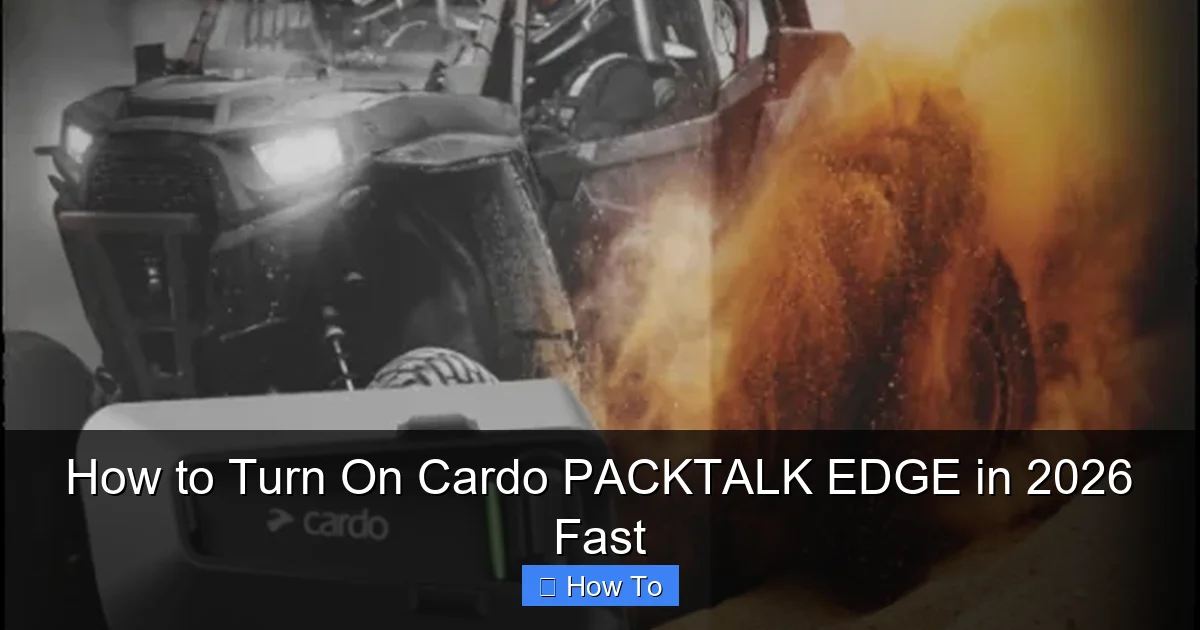
The power button is the large, round button on the left side of the unit. It’s easy to feel even with gloves on, which is perfect for cold-weather riding.
Press and Hold for 3 Seconds
Press and hold the power button for at least 3 seconds. You’ll hear a voice prompt saying “Power On” and see the LED flash blue. That’s your signal that the device is booting up.
> Important: Don’t just tap the button. A quick press might activate voice commands or music controls, but it won’t turn the unit on. Always hold it for 3 seconds.
Wait for Startup Completion
After “Power On,” the device will run a quick self-check. You may hear beeps or see the LED cycle through colors. This usually takes 10–15 seconds. Once it settles on a steady blue light, your PACKTALK EDGE is ready.
Step 4: Pair with Your Smartphone
To unlock full functionality—like music streaming, GPS voice guidance, and phone calls—you need to pair your device with your phone.
Enable Bluetooth on Your Phone
Go to your phone’s settings and turn on Bluetooth. Make sure your phone is discoverable.
Put PACKTALK EDGE in Pairing Mode
If it’s your first time pairing, the device should automatically enter pairing mode after startup. You’ll hear “Phone pairing.” If not, press and hold the phone button (next to the power button) for 5 seconds until you hear the prompt.
Select “Cardo PACKTALK EDGE” on Your Phone
In your phone’s Bluetooth menu, look for “Cardo PACKTALK EDGE” and tap to connect. You may be asked to confirm a PIN—usually “0000” or “1234.” Once connected, you’ll hear “Phone connected.”
> Pro Tip: Download the Cardo Connect app (available on iOS and Android in 2026) to customize settings, update firmware, and manage multiple devices.
Step 5: Test Audio and Microphone
Now that everything is connected, let’s make sure it works.
Play Music or a Podcast
Start playing audio on your phone. You should hear it clearly through the helmet speakers. Adjust volume using the jog dial on the side of the unit.
Test the Microphone
Make a quick call or use voice commands like “Hey Cardo, call home.” Speak clearly and listen for feedback. If the other person can’t hear you, check that the mic boom is positioned close to your mouth—about 1–2 cm away.
> Note: Wind noise can affect mic quality. For better results, use the foam windscreen that came in the box.
Troubleshooting: What If It Won’t Turn On?
Sometimes, things don’t go as planned. Here’s how to fix the most common issues.
Device Doesn’t Power On
- Check the battery: Plug it in and wait 10 minutes. If the LED doesn’t light up, the battery may be deeply drained.
- Inspect the charging port: Use a toothpick or compressed air to remove lint or dust.
- Try a different cable or charger: Faulty accessories are a common cause of charging failure.
LED Flashes but No Sound
This could mean the speakers aren’t seated properly in the helmet. Remove the cheek pads and press the speakers firmly into place. Make sure they’re not loose or misaligned.
Voice Prompts Are Silent
Go into the Cardo Connect app and check the voice prompt volume. In 2026, the app allows fine-tuning of audio levels for prompts, music, and calls.
Device Powers On but Won’t Pair
- Reset Bluetooth on your phone.
- Turn the PACKTALK EDGE off and on again.
- If problems persist, perform a factory reset: Hold the power and phone buttons for 10 seconds until you hear “Factory reset.”
Maintaining Your PACKTALK EDGE for 2026 and Beyond
To keep your device turning on reliably for years, follow these care tips:
- Clean the exterior regularly with a damp cloth. Avoid harsh chemicals.
- Store in a dry place when not in use. Moisture can damage internal components.
- Update firmware via the Cardo Connect app every few months. 2026 updates include improved battery management and noise cancellation.
- Replace the microphone windscreen if it gets worn or dirty.
And if you’re looking to enhance your riding experience further, consider pairing your PACKTALK EDGE with other gear. For example, learn how to secure your helmet on a motorcycle to prevent loss during stops, or explore how to listen to music while riding a motorcycle for the best audio setup. If you ride with a passenger, check out how to carry an extra helmet on a motorcycle for convenience on two-up trips.
Conclusion
Turning on your Cardo PACKTALK EDGE in 2026 is fast, simple, and designed for riders who want to focus on the road—not the tech. By following these steps, you’ll have your device powered up, paired, and ready in under five minutes. Remember: hold the power button for 3 seconds, charge fully before first use, and use the Cardo Connect app to unlock advanced features.
With proper care and regular updates, your PACKTALK EDGE will deliver clear communication, great sound, and reliable performance for every ride ahead. So gear up, power on, and enjoy the ride—safely and connected.