How to Connect Cardo to Cardo in 2026

Connecting Cardo to Cardo in 2026 is simple with the latest Bluetooth 5.3 and Dynamic Mesh Communication (DMC) technology. This guide walks you through pairing two or more Cardo systems for crystal-clear group chat, music sharing, and GPS navigation prompts—no matter the distance.
How to Connect Cardo to Cardo in 2026: A Complete Guide
Riding with friends is more fun when you can talk, share music, or get turn-by-turn directions together—without shouting over wind noise. That’s where connecting your Cardo intercom system to another Cardo unit comes in. In 2026, Cardo has made this easier than ever with smarter software, better range, and seamless compatibility across its lineup.
Whether you’re planning a weekend group ride or commuting with a buddy, this guide will show you exactly how to connect Cardo to Cardo—step by step—so you spend less time fiddling with settings and more time on the road.
Also read: Cardo Freecom 4x vs Packtalk Edge: My Bold Comparison 2026
What You’ll Need
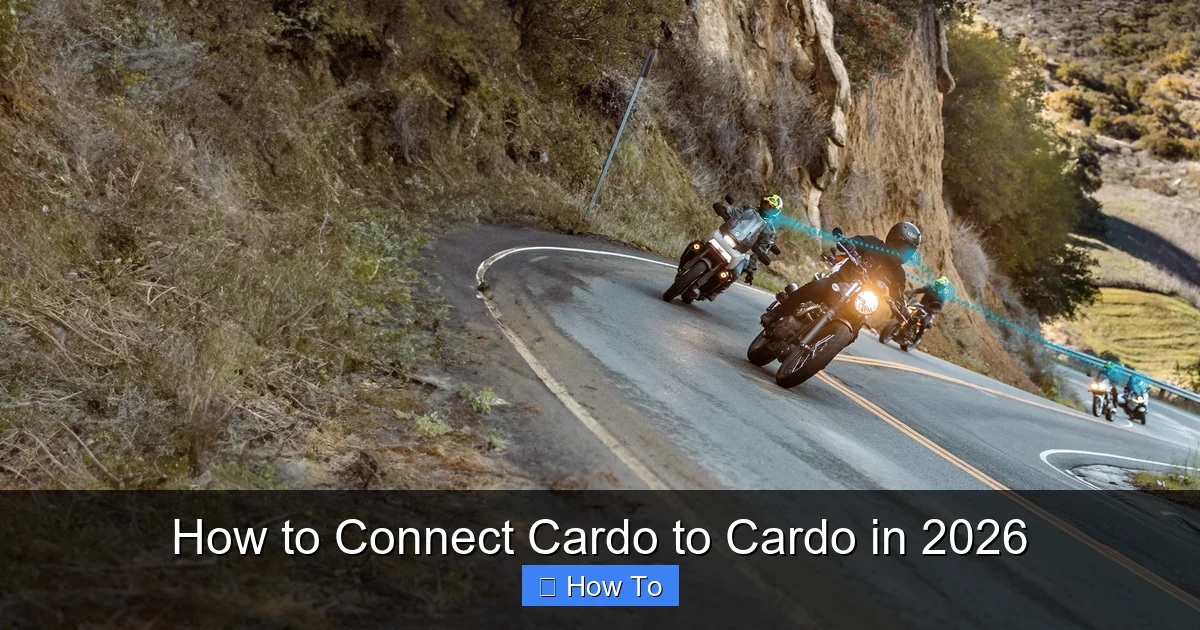
Visual guide about How to Connect Cardo to Cardo in 2026
Image source: cardosystems.com
Before we begin, make sure you have:
- Two or more Cardo intercom units (Packtalk, Freecom, or Spirit series)
- Fully charged batteries (at least 50% recommended)
- The latest firmware installed (check via the Cardo Connect app)
- A quiet environment for initial setup (helps with voice prompts)
Step 1: Power On Both Units
Turn on each Cardo device by pressing and holding the main button (usually the center button) for 3 seconds until you hear “Power On.” Wait for the status LED to stabilize—typically solid blue for ready mode.
Pro Tip
If your unit hasn’t been used in a while, charge it fully first. Low battery can cause pairing failures or dropouts during setup.
Step 2: Enable Pairing Mode
On the first unit (Rider A), press and hold the Phone button for 5 seconds until you hear “Pairing.” The LED will flash red and blue.
Repeat the same step on the second unit (Rider B). Both devices should now be discoverable.
Note on 2026 Models
Newer Cardo systems like the Packtalk Edge automatically enter pairing mode when powered on if no existing connection is detected—saving you a step!
Step 3: Establish the Connection
Within 30 seconds, the two units will detect each other. You’ll hear a confirmation tone (“Connected”) and see a solid green LED on both devices.
If they don’t connect automatically:
- Ensure both units are within 1 meter of each other
- Disable Bluetooth on nearby phones temporarily (they can interfere)
- Restart both units and try again
Step 4: Test the Intercom
Press the intercom button (often labeled “IC” or represented by a headset icon) on one unit. Speak clearly—you should hear your voice in the other rider’s helmet within 1–2 seconds.
Try walking away gradually to test range. In ideal conditions, 2026 Cardo systems maintain connection up to 1.6 km (1 mile) using DMC technology.
Connecting More Than Two Riders
Cardo’s Dynamic Mesh Communication (DMC) lets you add up to 15 riders in a single group. Here’s how:
Add a Third Rider
- Have Rider C power on and enter pairing mode
- Rider A or B presses and holds the Intercom button for 3 seconds until they hear “Invite to group”
- Rider C accepts by pressing their Intercom button once
- All three will confirm with a chime
Group Management Tips
- One rider acts as the “group leader”—they control music sharing and can mute others
- If someone drops out of range, DMC automatically reroutes the signal through other riders
- Use the Cardo Connect app to rename riders (e.g., “Sarah – Honda”) for easier identification
Using the Cardo Connect App (Recommended)
Download the free Cardo Connect app (iOS/Android) to unlock advanced features:
- Update firmware with one tap
- Create saved groups for regular riding buddies
- Adjust microphone sensitivity or EQ settings
- Enable “Echo Cancellation” for windy conditions
To link your unit:
- Open the app and tap “Add Device”
- Follow on-screen instructions to pair via Bluetooth
- Sync your intercom group settings
Troubleshooting Common Issues
Even with 2026’s improved tech, hiccups happen. Here’s how to fix them:
Units Won’t Pair
- Perform a factory reset: Hold Phone + Volume Down for 10 seconds until you hear “Factory Reset”
- Ensure both units are on the same DMC channel (default is Channel 1)
- Check that neither unit is already connected to a phone or GPS
Audio Cuts Out or Sounds Robotic
- Move closer together—DMC works best under 800 meters in dense areas
- Reduce background noise by closing visor or slowing down
- Update firmware—older versions had latency bugs fixed in v2.1+
One Rider Can’t Hear Others
- Check volume levels on the affected unit
- Verify microphone placement isn’t blocked by padding
- Re-pair the unit to the group via the app
For persistent issues, visit Cardo’s 2026 support page or contact their live chat—they now offer real-time remote diagnostics!
Bonus: Pairing with Non-Cardo Devices
While this guide focuses on Cardo-to-Cardo connections, you can also connect to non-Cardo Bluetooth headsets (like Sena or Bose) using standard Bluetooth intercom mode—but you’ll lose DMC benefits like mesh networking and extended range. For best results, stick with Cardo-to-Cardo.
Final Thoughts
Connecting Cardo to Cardo in 2026 is faster, smarter, and more reliable than ever. With Dynamic Mesh Communication, intuitive voice prompts, and seamless app integration, staying connected with your riding crew has never been easier.
Remember: always test your connection before hitting the highway, keep your firmware updated, and don’t forget to enjoy the ride—not just the tech.
And if you’re looking to enhance your overall riding experience, consider pairing your Cardo system with a well-maintained helmet. For tips on keeping your helmet comfortable and fog-free, check out our guide on how to keep your motorcycle helmet from fogging up. A clear visor and clear communication make for safer, more enjoyable rides.
Also, if you’re new to group riding dynamics, understanding how to listen to music while riding a motorcycle without compromising safety can help you balance entertainment and awareness. And for those long-distance tours, don’t forget to maintain your throttle and clutch cables—smooth controls mean better focus on the conversation ahead.